
Instructions for Issuing Electronic Documents
УПАТСТВО ЗА КОРИСТЕЊЕ
Модул за издавање електронски документи
Дел за барање електронски документи
Content
- 1. Introduction3
- 1.1. Промена во постоечкиот систем3
- 1.2. Пристап до системот3
- 2. Барања за документи3
- 2.1. Поднесување на барање за документ4
- 2.2. Плаќање и поднесување на барање5
- 2.3. Статуси на барањето5
- 3. Преземање и верификација на документи6
1. Introduction
Во рамки на развојот на нова верзија на системот за електронски студентски сервиси iKnow2, развиен е нов модул за издавање на документи (потврди) кон студентите. Опфатени се два начини за издавање документи:
- Печатење хартиени потврди
- Електронска достава на електронски документи валидирани со дигитален печат од единицата (дигитален сертификат)
Ова упатство е наменето за студентите во рамките на Универзитетот „Св. Кирил и Методиј“ во Скопје.
Документот го опишува начинот на работа со модулот за електронски документи во системот iKnow — платформата која ги поддржува административните и академските процеси на универзитетот.
Модулот претставува комплетна надградба и редизајн на претходниот систем за документи — со нов кориснички интерфејс, нова структура на податоците и подобрен начин за поднесување барања за документи.
1.1. Промена во постоечкиот систем
Во платформата iKnow е додаден нов таб „Е-Документи“, кој овозможува целосна дигитализација на административните процеси. Преку овој модул можете:
- Поднесување барања за електронски и хартиени документи
- Извршување на плаќање онлајн
- Прегледување на статусот на барањата
- Преземање на готовиот документ со електронски печат
1.2. Пристап до системот
Страницата е достапна на два начина:
- Директно преку линк: https://dokumenti.iknow.ukim.mk
- Преку клик на табот „Е-Документи“ во iKnow

2. Барања за документи
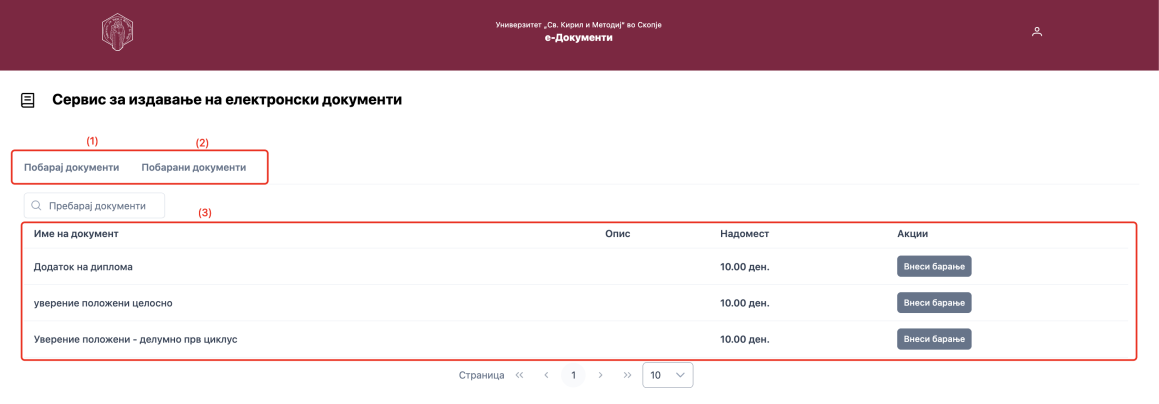
По пристапување на системот на почетната страница се достапни два таба:
- Побарај документи (1) — на овој таб се достапни сите документи што можат да бидат побарани на факултетот
- Побарани документи (2) — на овој таб се прикажуваат сите барања што ги има поднесено студентот
2.1. Поднесување на барање за документ
Со клик на копчето „Внеси барање“ кај саканиот документ се отвора прозорец со дополнителни информации:

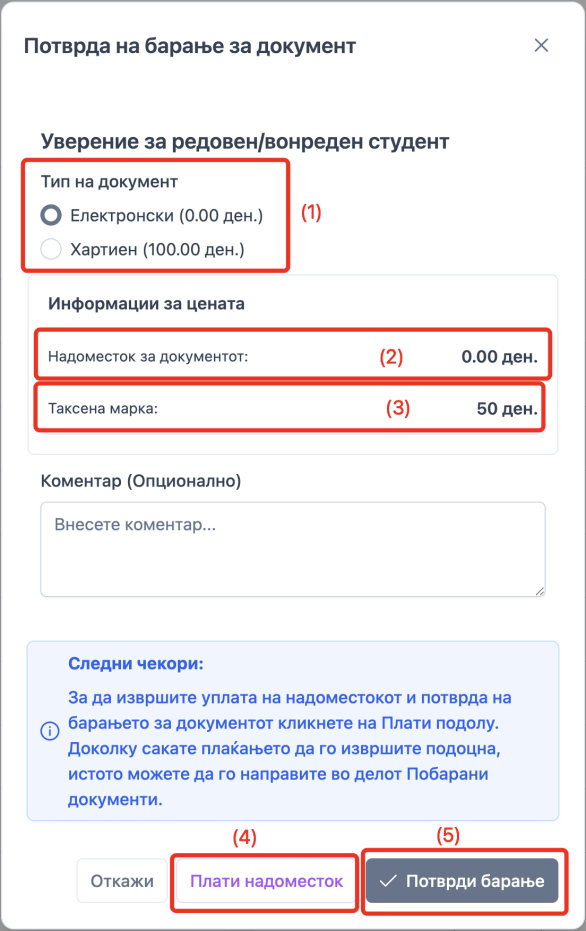
На прозорецот, прикажан на слика 4, доколку факултетот издава и хартиена верзија од документот, може да се направи соодветен избор (1), подолу се прикажани информации за надоместокот (2), односно таксената марка (3), достапно е и поле за коментар, кој е опционален, на студентот кое се додава на барањето кое го гледа службеник од студентска служба.
2.2. Плаќање и поднесување на барање
Со клик на „Плати надоместок“ (4) се пренасочува кон виртуелен POS терминал каде може да се изврши плаќањето.
Надоместокот и таксената марка, доколку постои, можат да бидат платени и по поднесувањето на барањето.
Со кликање на копчето „Потврди барање“ (5), се испраќа барањето до студентска служба.
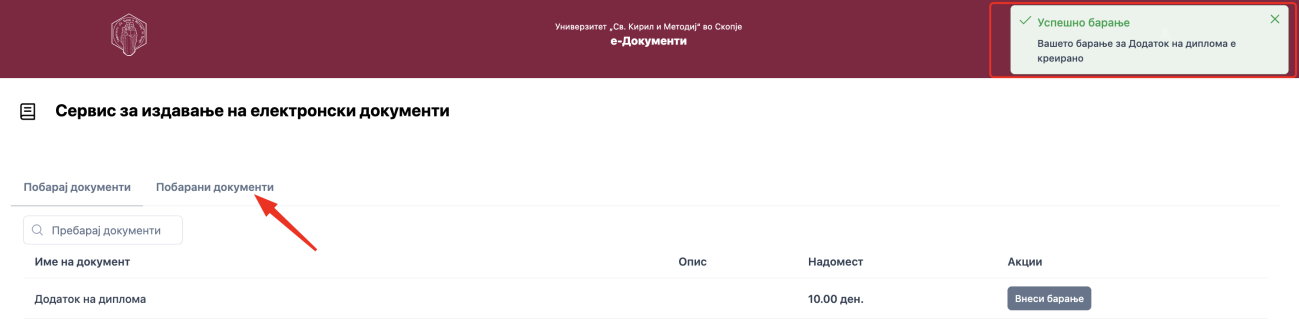
Поднесеното барање може да се прегледа и во табот за Побарани документи.
2.3. Статуси на барањето

Во зависност од тоа дали барањето е претходно платено, статусите, означени со (1), прикажани на слика 6, можат да бидат:
- Чека плаќање — овој статус го добива барањето доколку претходно не била извршена наплатата.
- Чека потпис — овој статус го добива барањето доколку била извршена наплатата на виртуелниот POS терминал.
Плаќањето може да се изврши и преку делот за „Побарани документи“, со кликање на копчето „Плати“ (2), прикажано на слика 6, се пренасочува кон виртуелен POS терминал.
Плаќањето може да биде извршено и со уплатница. Истата треба да се приложи кај службеник во студентска служба и да биде валидирана уплатата.
По валидација на уплатата, дали била извршена преку виртуелен POS или преку уплатница, статусот ќе биде променет во „Чека потпис“.

Службеникот го разгледува барањето и одлучува дали документот ќе биде потпишан дигитално или рачно од страна на одговорно лице.

Откако документот ќе биде потпишан со дигитален потпис или испечатен и доставен за потпишување за кај одговорно лице, ќе добие статус „Хартиен документ“ или „Потпишано“, во зависност од типот на потписот.
3. Преземање и верификација на документи
Доколку документот е електронски потпишан, на електронската пошта која се користи за најава на iKnow ќе биде испратен документот во прилог на пораката.
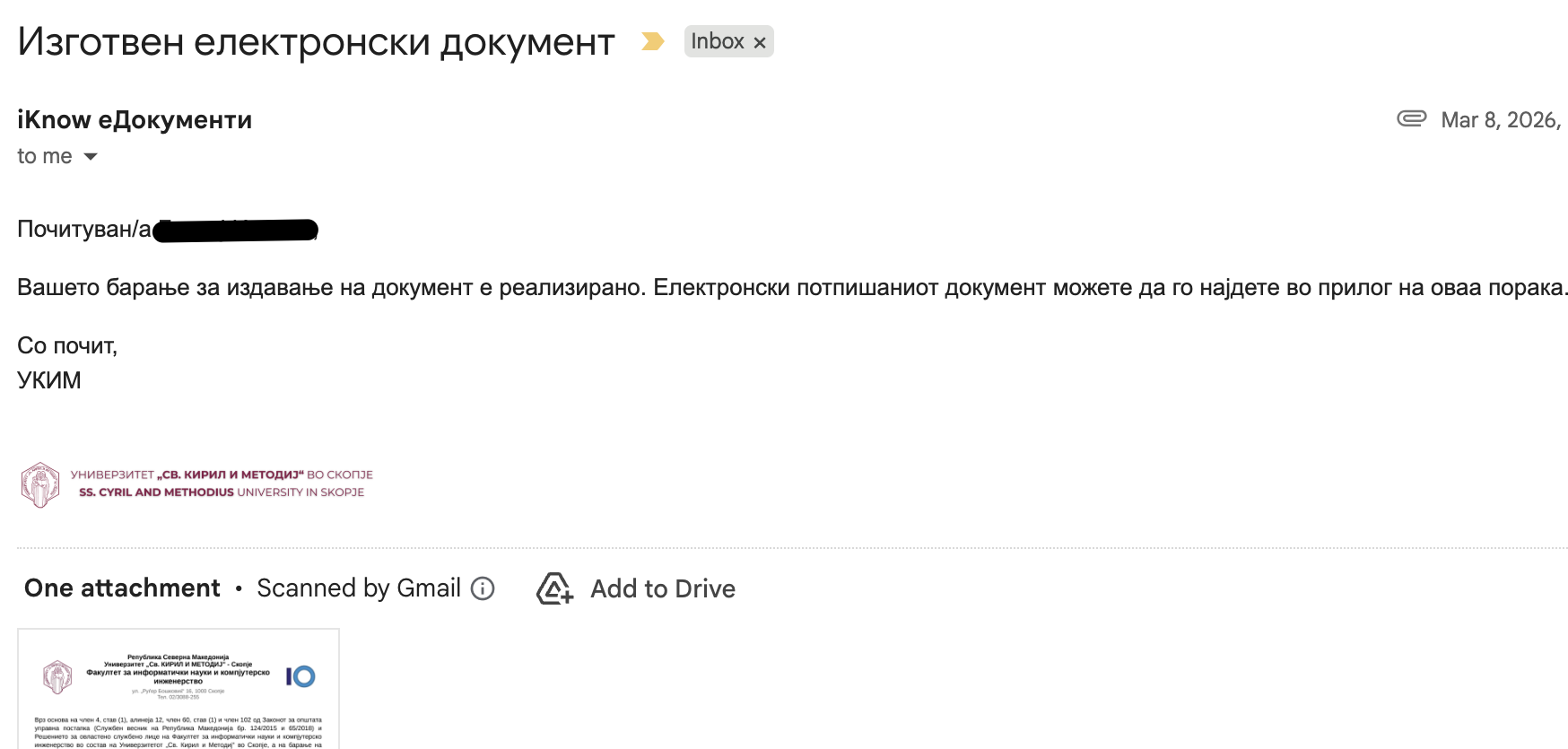
Документот носи валиден дигитален потпис што може да се верификува со скенирање на QR кодот или преку линкот за верификација во подножјето на документот.

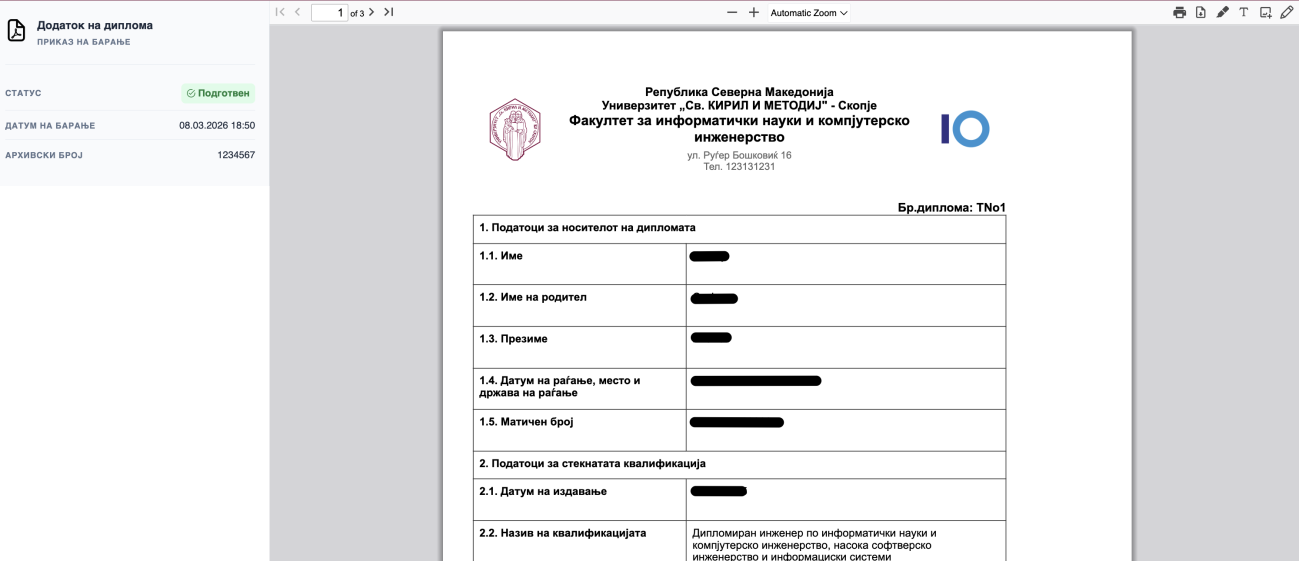
Без разлика дали документот бил потпишан рачно или со дигитален потпис, опцијата за преземање на документот е достапна веднаш по креирање на барањето.